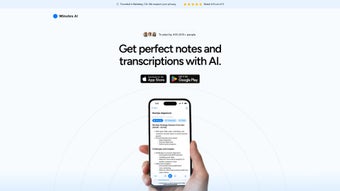

Download Minutes AI – AI‑Powered Note‑Taking & Transcription Tool
Overview
Minutes AI is a cloud‑based, AI‑driven note‑taking application that turns live audio, uploaded recordings, and even YouTube videos into clean, formatted meeting minutes. Designed for professionals, educators, and students, the platform captures every spoken detail, extracts key points, highlights action items, and lets users ask follow‑up questions directly from the transcript. With built‑in privacy controls, multilingual support, and the ability to share minutes via email, text, or PDF, Minutes AI streamlines the entire documentation workflow—from capture to distribution—while keeping data secure and easily searchable.
Core Features & Installation Guide
Feature List
- Live audio transcription with real‑time note generation.
- Upload‑file support for MP3, WAV, MP4, and other common formats.
- YouTube link integration – convert video speech to text instantly.
- Automatic extraction of key points, decisions, and action items.
- Interactive Q&A – ask questions directly from the transcript.
- One‑click export to PDF, plain text, or formatted email.
- Multilingual transcription (supports over 20 languages).
- Secure data handling with end‑to‑end encryption and permanent deletion.
- Collaboration tools – share minutes with team members via link or embed.
- Customizable templates for corporate, academic, or personal use.
Installation & Usage Instructions
Minutes AI is delivered as a responsive web application, so there is no traditional “install” process for desktop operating systems. Follow these steps to get started quickly:
- Create an account: Visit minutes.ai and sign up with your email or single sign‑on (Google, Microsoft, or Apple). A verification email ensures account security.
- Choose a plan: Minutes AI offers a free tier (up to 2 hours of transcription per month) and paid subscriptions (starting at $9.99/month) for unlimited usage, premium templates, and priority support.
- Set up your workspace: After login, click “New Session,” then select the source—live microphone, file upload, or YouTube URL.
- Configure language & audio quality: The AI automatically detects language, but you can manually select a different language or accent for better accuracy.
- Start transcription: Press “Record” for live capture or “Upload” for pre‑recorded files. The system begins transcribing in real time, displaying both raw text and a formatted “minutes” view.
- Interact with the transcript: Highlight any sentence and click “Create Action Item” or “Ask Question.” The AI will generate a concise task or answer based on the context.
- Review & edit: Use the built‑in editor to fine‑tune wording, add headings, or insert images. Changes are saved automatically to the cloud.
- Export or share: Click “Export” to download a PDF or TXT file, or use the “Share” button to send minutes via email, SMS, or a secure link that expires after a set period.
- Secure your data: Navigate to Settings → Privacy to enable auto‑deletion after 30 days or manually purge a specific session.
Because Minutes AI runs in the browser, it works on any modern device—desktop, laptop, tablet, or smartphone—without additional plugins. The interface adapts to screen size, ensuring a smooth experience whether you’re in a boardroom or a coffee shop.
Compatibility, Pros & Cons
Operating System Support
Minutes AI is platform‑agnostic, running on Windows 10/11, macOS Monterey and later, Linux distributions with modern browsers, as well as Android 8+ and iOS 13+. The only requirement is a stable internet connection and a recent version of Chrome, Edge, Firefox, or Safari.
Pros
- AI accuracy: Advanced speech‑to‑text models deliver >95% accuracy for clear audio.
- Time‑saving automation: Auto‑generated action items and summaries reduce manual note‑taking.
- Secure and private: End‑to‑end encryption, GDPR compliance, and optional permanent deletion.
- Multilingual: Supports more than 20 languages, making it ideal for global teams.
- Flexible sharing: Export to PDF, email, or share via a secure, expiring link.
Cons
- Internet dependency: Requires a continuous connection; offline use is limited.
- Learning curve for advanced features: Power users may need time to master Q&A and template customization.
- Free tier limits: The complimentary plan caps transcription at 2 hours per month, which may be insufficient for heavy users.
FAQ – Frequently Asked Questions
Can Minutes AI transcribe multiple speakers accurately?
Yes. The AI model distinguishes between speakers using voice fingerprinting, labeling each segment with speaker tags. This feature works best with clear audio and minimal background noise.
Is there an offline mode for sensitive meetings?
Currently Minutes AI requires an online connection to access the AI engine. However, you can record locally with any device, then upload the file later when a secure connection is available.
How does Minutes AI ensure data privacy?
All audio files and transcripts are encrypted in transit (TLS) and at rest (AES‑256). Users can enable automatic deletion after a set period or manually purge any session from the dashboard. The service complies with GDPR, CCPA, and ISO‑27001 standards.
Can I integrate Minutes AI with my existing calendar or project‑management tools?
Yes. Minutes AI offers Zapier, Microsoft Power Automate, and native API endpoints that let you push completed action items directly to Asana, Trello, Jira, or Google Calendar.
What languages are supported for transcription?
The platform currently supports English, Spanish, French, German, Mandarin, Japanese, Portuguese, Italian, Dutch, Russian, Korean, Arabic, Hindi, and several other languages. New languages are added regularly based on user demand.
Conclusion & Call to Action
Minutes AI stands out as a robust, AI‑enhanced solution for anyone who needs reliable, automated note‑taking and transcription. Its ability to convert live speech, uploaded recordings, and even YouTube videos into structured minutes saves countless hours and reduces the risk of missing critical details. While the reliance on an internet connection may be a drawback for ultra‑secure environments, the platform’s strong encryption, GDPR compliance, and easy deletion features provide reassuring privacy safeguards.
Whether you’re a project manager coordinating cross‑functional teams, a professor capturing lecture content, or a student looking to streamline study sessions, Minutes AI delivers the speed, accuracy, and flexibility required in today’s fast‑paced workspaces. The free tier offers a risk‑free trial, and the paid plans unlock unlimited transcription, premium templates, and priority support.
Ready to transform the way you capture information? Download Minutes AI today, create your first session, and experience the power of AI‑driven note taking for yourself.



.png)



